<Root level> User Interface & Available Commands | Send comments on this topic |
H.A.T. Ribbon Interface:

All commands and dialogs can be run from the Ribbon or typed into the command line. See list of Commands below:
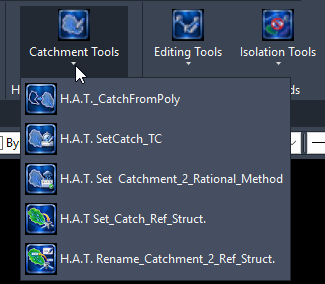
H.A.T. Catchment Tools (dropdown menu button):
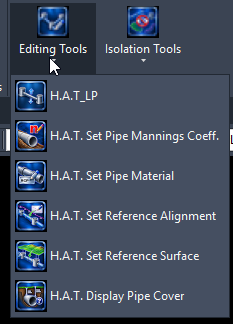
Extra Editing Commands (Editing Tools Dropdown):
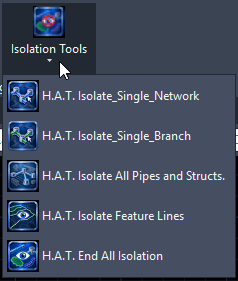
Extra Editing Command (Isolation Tools Dropdown):
Copyright © 2026 CivilFX, LLC