User Interface & Available Commands / Companion Editing Tools / XSLOPE - Editing tool | Send comments on this topic |
Command: "OL_XSLOPE"
Determines the resulting slope of pipes between two structures given specified criteria as shown in the settings window. The command only works when pipes are shown in profile view.
ØRun the command.
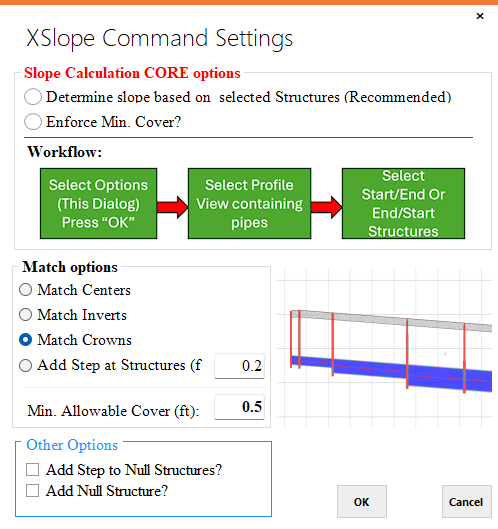
ØThe "XSlope Command Settings" window will open. Select your preferred options.
Screenshot before the edit:
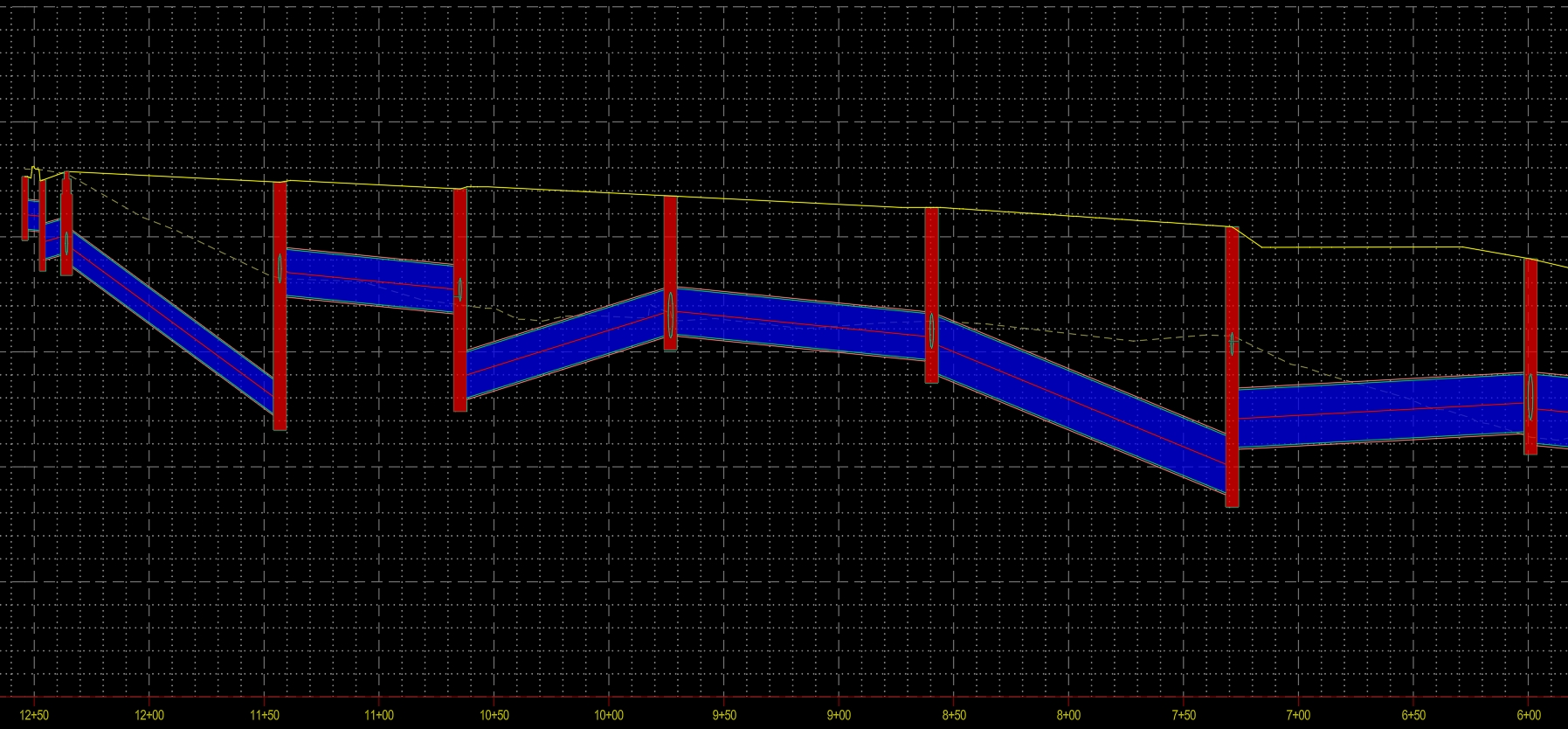
Video of the edit:
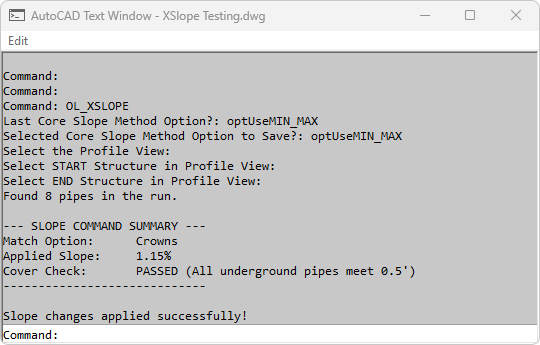
Information provided at the command line after editing the pipe run:
Notes & Observations:
1The command only modifies the pipes found in the profile view being used.
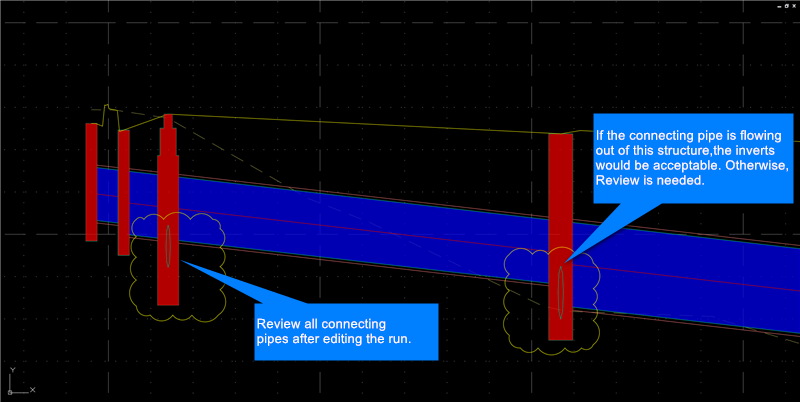
ØYou will have to check any "branching" pipes for the run being edited. As an example, the screenshot below shows that some structures have incoming/outgoing pipes whose inverts are now below the new pipes. [Needs Verification].
2You do not have to pick the pipes in order, just select the "end" structures (need to select a min. of 2), and the command will detect the pipes in the run from the selected profile.
Copyright © 2026 CivilFX, LLC