User Interface & Available Commands / Main User Input & Program Windows / IDF Curve Setup | Send comments on this topic |
Command: "OL_IDF"

Displays the IDF curve information input form.
Entering Data:
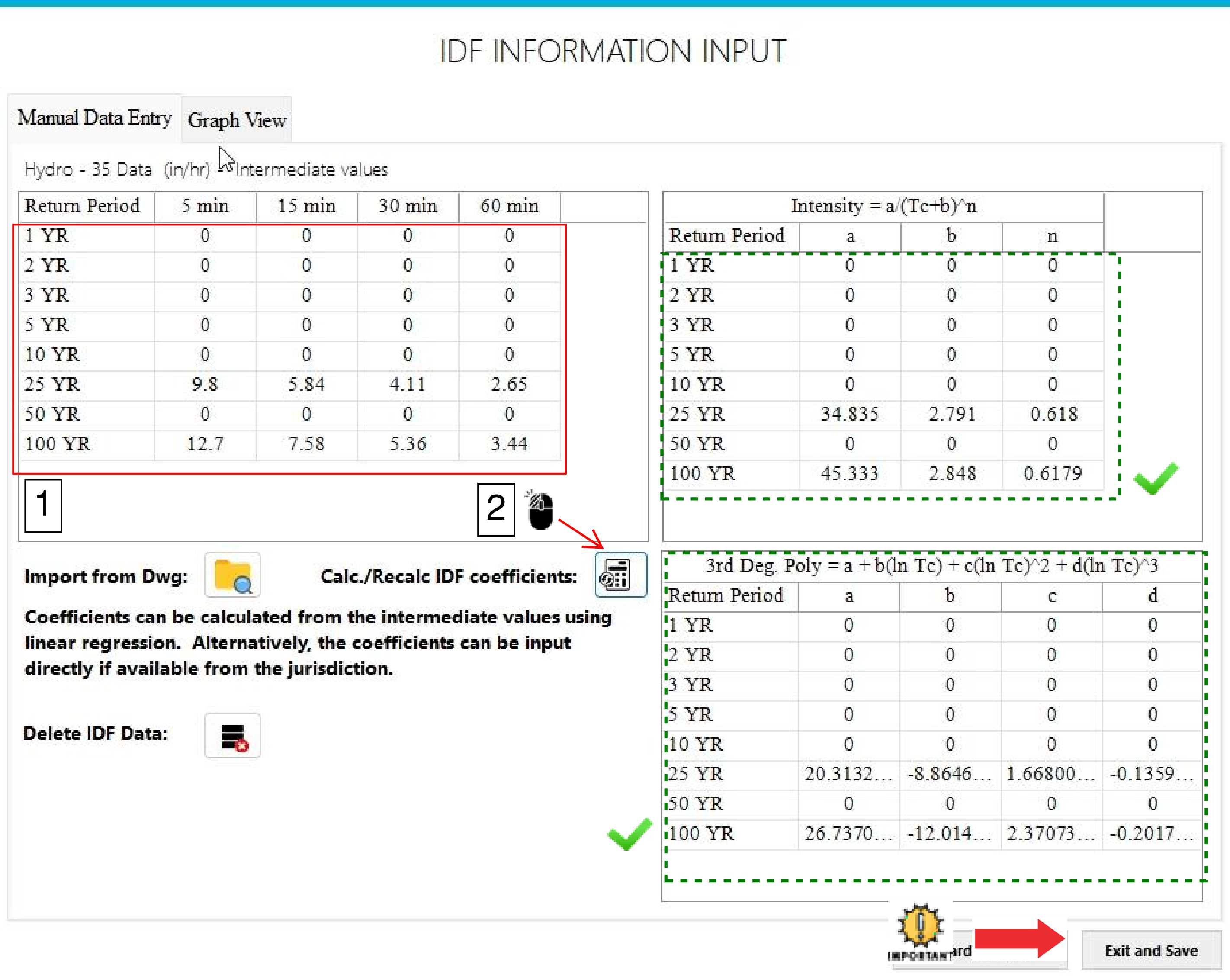
1.Input the Intermediate rainfall intensity values. Leave any event not being analyzed with zero value.
2.Press the Calculator button to determine the IDF curve coefficients
3.Coefficient values will populate for both the standard IDF equation coefficients table and the 3rd degree polynomial IDF logarithmic equation. Data is automatically saved when this option is used.
4.You can select to Exit and Save the data before displaying the graph view tab, or go to the graph view tab first and then save the data.
5.Data can be manually input for the coefficients tables. User is specifically cautioned, that incorrect or inconsistent values input as coefficients will affect the accuracy of ALL results.
a.Inputing values in the standard IDF equation coefficient table automatically generates the resulting 3rd degree polynomial coefficients.
a.Similarly, inputting the 3rd degree coefficients will re-calculate the standard IDF equation coefficients. Again, user is cautioned on the input values supplied
IMPORTANT NOTES:
1.Data is automatically saved when you press the "calculator" button, but NOT when you are entering the coefficient values manually.
2.Don't forget to press the "Exit and Save" Button
Viewing the Resulting IDF curves:
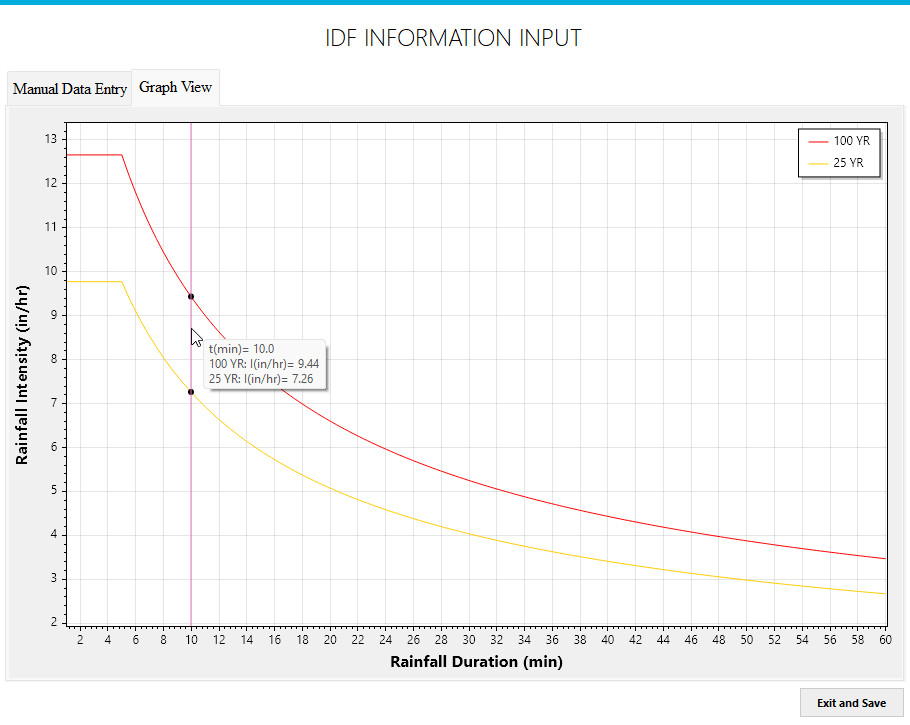
ØClick on the "Graph View" tab to view the curves.
ØMoving the cursor along the curves will display calculated intensity for any point along the curve(s).
Copyright © 2026 CivilFX, LLC